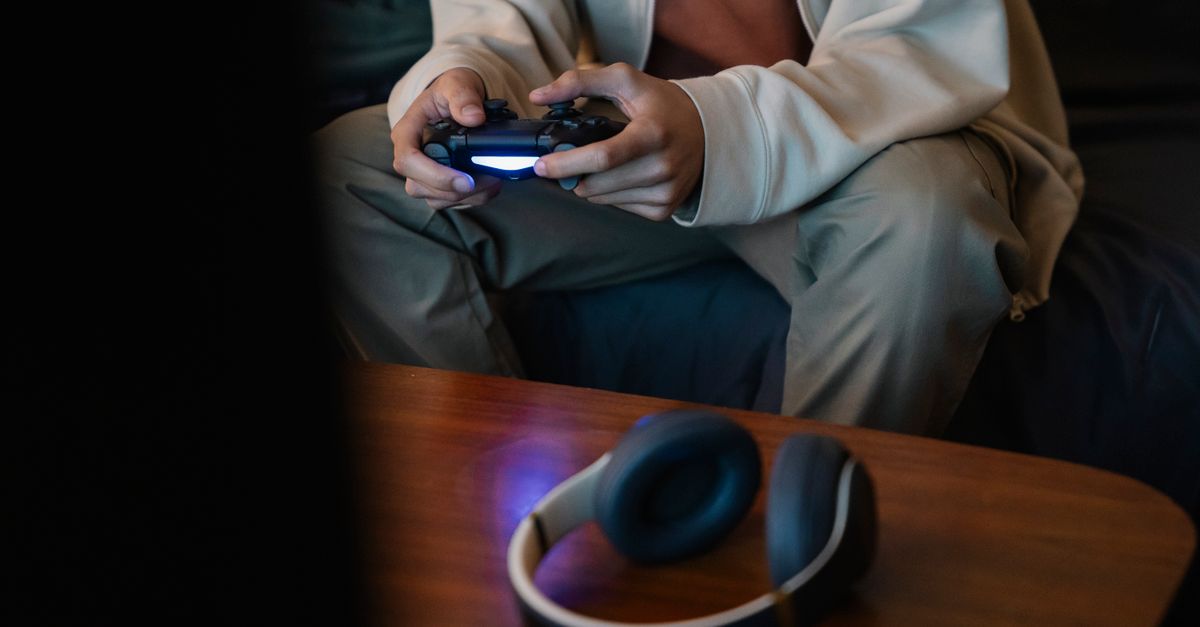
When I first started dabbling in competitive gaming, the mantra was clear: wired is always better, especially for audio. Wireless headsets, many believed, introduced an unacceptable amount of latency, creating a perceptible delay between in-game events and the sound reaching your ears. This seemed to make sense on paper. Radio signals, processing, digital-to-analog conversion—it all adds up, right? For years, I stuck to wired connections, even when it meant tangled cables and limited mobility. I bought into the idea that any millisecond of delay would be the difference between a headshot and a respawn screen.
The truth, however, is far more nuanced. While wireless technology can introduce latency, the impact is often dramatically overstated, especially with modern gaming headsets. The real culprits behind perceived audio lag are usually less about the wireless connection itself and more about other, often overlooked, factors in your setup. After countless hours testing various wireless and wired configurations, I’ve come to realize that the ‘wireless latency is game-breaking’ belief is largely a relic of older technology and a misunderstanding of how audio pipelines work. It’s not the biggest problem; often, it’s not even a problem you’ll notice.
Key Takeaways
- Modern wireless gaming headsets, especially those using 2.4GHz connections, have imperceptible latency for most gamers.
- Environmental interference, not the wireless protocol itself, is a more common cause of perceived audio lag or dropouts.
- Outdated audio drivers or incorrect software settings often create more noticeable delays than current wireless hardware.
- The human ear’s detection threshold for audio lag is significantly higher than the latency introduced by quality wireless headsets.
Modern 2.4GHz Wireless Outperforms Bluetooth for Latency
The biggest distinction to make when talking about wireless gaming headsets is the type of wireless technology they employ. When people think of ‘wireless latency,’ their minds often jump to Bluetooth. And for good reason: older Bluetooth standards and codecs did introduce significant, often noticeable, audio delay. If you tried watching a video with cheap Bluetooth earbuds a few years ago, you likely experienced lip-sync issues. That’s latency in action.
However, dedicated gaming headsets almost universally use a different protocol: 2.4GHz proprietary wireless connections. This is fundamentally different from standard Bluetooth. These systems typically come with a USB dongle that creates a direct, low-latency connection between the headset and your PC or console. They are designed from the ground up for speed and stability, prioritizing minimal delay over broad compatibility or power efficiency in the same way Bluetooth does.
In my experience, comparing a high-quality 2.4GHz wireless gaming headset to a wired one, the difference in perceived latency is negligible for 99% of players. We’re talking about delays that are often below 20-30 milliseconds (ms). To put that into perspective, the average human reaction time is around 200-250ms. A 20ms audio delay is simply not something your brain will register as a hindrance during fast-paced gameplay. The tactile feedback from your mouse click, for example, will reach your brain far faster than the audio cue, making the sound a secondary confirmation rather than a primary trigger for action.
So, if you’re eyeing a wireless gaming headset, always ensure it uses a dedicated 2.4GHz USB dongle, not just Bluetooth. This is the single most important factor in ensuring low-latency audio for gaming.
Environmental Interference Is a Bigger Audio Threat Than Latency
While raw latency numbers are often low for 2.4GHz headsets, there’s another, often more disruptive, factor that can feel like latency: environmental interference. The 2.4GHz band is crowded. Wi-Fi routers, microwaves, cordless phones, even other wireless mice and keyboards all operate on this same frequency. When multiple devices are competing for airwaves, it can lead to dropped packets, audio cutouts, or intermittent stutters. These interruptions can be far more disorienting and detrimental to your gaming experience than a consistent, minor delay.
Imagine you’re in a crucial firefight, and the sound of an enemy’s footsteps briefly cuts out. That’s not latency; that’s interference, and it actively impacts your ability to react. I’ve personally troubleshot situations where a gamer complained of ‘laggy’ audio, only to find their Wi-Fi router was positioned directly next to their headset’s USB dongle, broadcasting on the same channel.
What changed everything for me was strategically managing my 2.4GHz environment. Here are concrete steps:
- Relocate your USB dongle: Use a USB extension cable to move the dongle away from your PC’s tower and closer to your headset, preferably with a clear line of sight. This minimizes obstacles and interference from internal PC components.
- Optimize Wi-Fi channels: If your Wi-Fi router operates on the 2.4GHz band (most do), check its settings. Many routers allow you to manually select channels (1, 6, and 11 are non-overlapping). Use a Wi-Fi analyzer app on your phone to see which channels are least congested in your immediate area and set your router to one of those. This helps prevent direct clashes with your headset.
- Unplug unnecessary devices: If you have other 2.4GHz devices you’re not actively using (older cordless phones, smart home hubs), consider unplugging them during critical gaming sessions.
Addressing environmental interference provides a far more tangible improvement to audio reliability and perceived responsiveness than obsessing over a few milliseconds of inherent wireless latency.
Software Settings and Drivers Often Introduce More Delay
Beyond the wireless hardware itself, the software layer can inadvertently add significant audio delay. This is where many gamers make crucial mistakes, often blaming their wireless headset when the real issue lies elsewhere in their system’s audio processing pipeline.
Outdated or generic audio drivers are a common culprit. If your PC or console’s audio drivers aren’t optimized or are simply the default ones installed by the operating system, they can introduce inefficient processing that slows down the audio path. I’ve seen situations where a simple update to the latest chipset audio drivers or the specific headset drivers dramatically reduced perceived lag.
Another major factor is software-based audio enhancements. Many gaming headsets, sound cards, and even Windows itself offer features like virtual surround sound, bass boost, noise cancellation, or special equalization (EQ) profiles. While these can enhance your experience, they also add processing steps. Each step takes time, accumulating into noticeable latency. For competitive gaming, I always recommend disabling unnecessary audio enhancements and running as ‘flat’ an audio profile as possible.
The mistake I see most often is activating multiple layers of enhancement. A gamer might have their headset’s software virtual surround active, and their sound card’s virtual surround active, and Windows Sonic enabled. Each of these is doing its own processing, stacking up delays. My advice is to pick one source for audio enhancements, or ideally, none for competitive play, and ensure all your audio drivers are up-to-date. You’ll be surprised how much snappier your audio feels.
The Human Factor: We Don’t Notice Millisecond Differences in Audio
Let’s get down to brass tacks: how much latency can a human actually detect? Psychological studies on audio-visual synchronicity suggest that for audio to feel out of sync, it generally needs to be delayed by at least 40-50ms, and often more, before it becomes truly bothersome. For a pure audio stimulus, the threshold for detecting a delay is even higher, often exceeding 80-100ms before it’s perceived as ‘laggy.’
Consider the typical latency figures for quality 2.4GHz wireless gaming headsets, which often hover between 15-30ms. These numbers are well below the human perceptual threshold. Your brain is a marvelously adaptive organ, and it routinely processes sensory input that isn’t perfectly simultaneous. The time it takes for light to travel from your monitor to your eyes is faster than the time it takes for sound to travel from your speakers to your ears, yet your brain seamlessly integrates these inputs.
In my own experience, when I switched from a high-end wired headset to an equally high-end 2.4GHz wireless model, I conducted blind tests with friends. Nobody could consistently identify which was which based on audio responsiveness alone. The only time a difference might be perceived is if you’re specifically listening for an echo or playing a rhythm game that demands absolute, sub-millisecond precision, and even then, it’s often more about psychological bias than actual performance impact.
Therefore, a few milliseconds of wireless latency are statistically insignificant to your in-game performance. Focus instead on clear, consistent audio that isn’t plagued by dropouts or overly processed by software. That’s what your brain will notice and appreciate.
Frequently Asked Questions
Is wireless audio latency still an issue for competitive gaming in 2026?
For competitive gaming in 2026, wireless audio latency from modern 2.4GHz gaming headsets is generally not a perceptible issue. The latency is often below 30 milliseconds, which is well within the human brain’s tolerance for audio processing and significantly less than typical human reaction times.
Why do some people still experience lag with wireless gaming headsets?
Most perceived lag with modern wireless gaming headsets stems from factors other than the inherent wireless technology. Common causes include environmental interference on the 2.4GHz band (from Wi-Fi, microwaves), outdated audio drivers, excessive software audio enhancements (like multiple layers of virtual surround sound), or simply poor headset quality.
What’s the difference between 2.4GHz wireless and Bluetooth for gaming headsets?
2.4GHz wireless connections, used by most dedicated gaming headsets with a USB dongle, are designed for low latency and stability, prioritizing speed over broad device compatibility. Bluetooth, on the other hand, is a more versatile, lower-bandwidth protocol that, especially in older versions, can introduce more noticeable audio delay, making it less ideal for critical gaming audio.
Can my Wi-Fi interfere with my wireless gaming headset?
Yes, Wi-Fi can absolutely interfere with your wireless gaming headset. Both typically operate on the 2.4GHz frequency band. If your Wi-Fi router is too close to your headset’s USB dongle or operating on the same congested channel, it can cause audio dropouts, stutters, or what feels like lag due to data packet loss.
How can I reduce audio lag if I suspect my wireless headset is the problem?
First, ensure your headset uses a 2.4GHz connection with a dedicated dongle. Then, update all audio drivers for your PC/console and headset. Disable any unnecessary software audio enhancements (virtual surround, bass boost) from your system, sound card, or headset software. Finally, optimize your 2.4GHz environment by relocating the USB dongle closer to you and checking for Wi-Fi channel congestion.
Conclusion
The myth of game-breaking wireless audio latency is, for the most part, a holdover from less advanced technologies. Modern 2.4GHz wireless gaming headsets deliver audio with such minimal delay that it’s practically imperceptible to the vast majority of players. If you’re experiencing audio lag or inconsistencies, the more likely culprits are environmental interference, suboptimal software settings, or simply a misunderstanding of how the human auditory system processes sound. Focus on optimizing your setup by managing 2.4GHz congestion and streamlining your audio software, and you’ll find that the freedom of a wireless headset comes with virtually no competitive compromise. Don’t let outdated fears keep you tethered to your desk; embrace the untethered future of gaming audio.